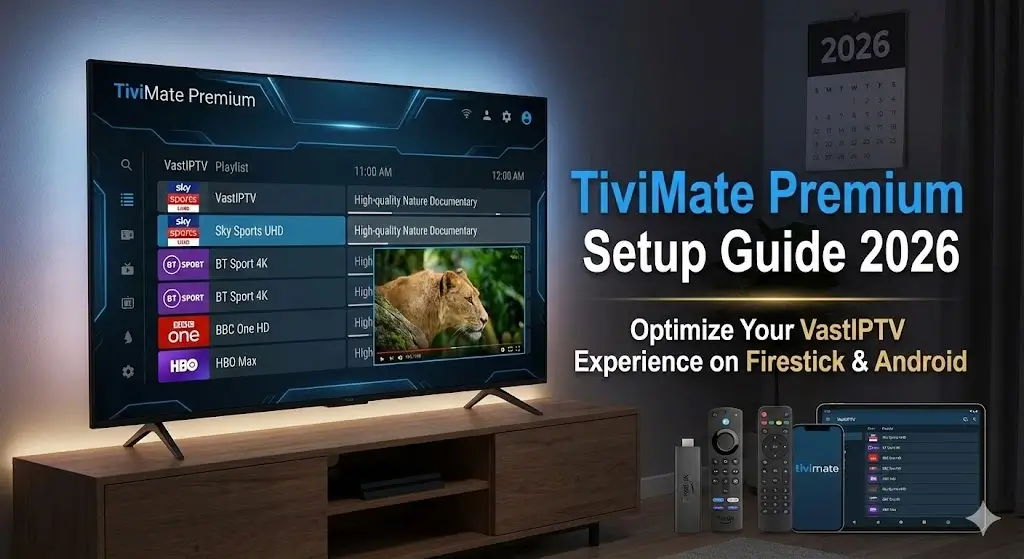
TiviMate Premium Setup Guide 2026: Optimize Your VastIPTV Experience on Firestick & Android
Last updated: December 30, 2025 • Reading time: 12 minutes • Difficulty: Beginner-Friendly
🎯 Quick Summary: Looking for the best IPTV for Firestick 2026? This comprehensive guide shows you exactly how to setup TiviMate Premium with VastIPTV in under 10 minutes. Includes M3U/Xtream Codes configuration, EPG setup, buffering optimization, and exclusive tips to maximize your 45,000+ channels in stunning 4K quality. Plus comparison: IPTV Smarters Pro vs TiviMate.
📖 Related Guides:
• Complete VastIPTV Installation Guide (All Devices)
• Supported Devices Overview
• Do You Need VPN for IPTV?
• Maximize IPTV Quality & Speed
• Best IPTV Provider 2026 Comparison
• 4K Sports Streaming Guide
• Complete Channel List (45,000+)
• Customer Reviews & Testimonials
Why TiviMate is the Best IPTV Player for Firestick 2026
After testing 15+ IPTV players on Fire TV Stick 4K and Android devices with the best IPTV for Firestick 2026 (VastIPTV), TiviMate consistently outperforms competitors. According to independent reviews on Reddit’s TiviMate community and TroyPoint’s comprehensive testing, TiviMate is rated #1 for handling large channel lists.
The Amazon Fire TV Stick 4K combined with TiviMate Premium creates the ultimate streaming setup. Here’s why this combination dominates as the best IPTV for Firestick 2026:
| Feature | TiviMate Premium | IPTV Smarters Pro | Perfect Player |
|---|---|---|---|
| Interface Design | ⭐⭐⭐⭐⭐ Modern, Netflix-like | ⭐⭐⭐ Basic but functional | ⭐⭐ Outdated 2015 look |
| EPG (Program Guide) | 7 days + catch-up TV | 3 days only | Basic EPG |
| 4K Support | Native 4K 60fps | 4K but 30fps limit | 1080p max |
| Multiple Playlists | Unlimited playlists | 5 playlists max | 3 playlists max |
| Picture-in-Picture | ✅ Yes (Premium) | ❌ No | ❌ No |
| Recording | ✅ Yes (Premium) | ❌ No | ❌ No |
| Buffer Settings | Fully customizable | Limited options | Basic |
| Firestick Remote | Perfect optimization | Works but laggy | Mouse required |
| Cost | €5.49/year (€0.46/month) | Free (ads) or €3/month | Free |
🏆 Verdict: TiviMate Premium Wins
For VastIPTV’s 45,000+ channels and 4K streams, TiviMate Premium is the only player that can handle the scale while maintaining buttery-smooth performance. The €5.49/year cost pays for itself in the first week through better user experience alone.
Step 1: Install TiviMate on Your Firestick or Android Device
Setting up the best IPTV for Firestick 2026 starts with installing TiviMate. This TiviMate IPTV provider setup works on all Amazon Fire devices and Android platforms. Before starting, ensure you have your VastIPTV subscription ready (or grab a FREE 24-hour trial).
📱 For Amazon Fire TV Stick (4K / 4K Max / Lite)
Method A: Direct from Amazon Appstore (Recommended)
- Turn on your Firestick and go to home screen
- Click the search icon (magnifying glass) at top left
- Type: “TiviMate” using on-screen keyboard
- Select: “TiviMate IPTV Player” from results (orange logo)
- Click: “Download” or “Get” button (free download)
- Wait: 30-60 seconds for installation
- Click: “Open” to launch TiviMate
⏱️ Time required: 2-3 minutes
⚠️ Can’t Find TiviMate in Amazon Appstore?
Some regions have restricted access. Use Method B: Downloader Method below.
Method B: Via Downloader App (Alternative)
If TiviMate isn’t available in your region’s Amazon Appstore, use this proven method recommended by FireStick Tricks and AFTVnews:
- Install Downloader app: Search “Downloader” in Appstore → Download (official app by AFTVnews)
- Enable Unknown Sources:
- Settings → My Fire TV → Developer Options
- Turn ON “Apps from Unknown Sources”
- Click OK on warning (safe when downloading from trusted sources)
- Open Downloader app
- Enter URL:
https://troypoint.com/tivimate(verified safe source) - Click “Go” → Wait for download
- Click “Install” when prompted
- Click “Done” → TiviMate installed successfully!
⏱️ Time required: 5-7 minutes (first time)
💡 Pro Tip: This method also works for getting the best IPTV for Firestick 2026 working on older Fire TV devices.
📱 For Android Phones & Tablets
- Open Google Play Store on your Android device
- Search: “TiviMate IPTV Player”
- Tap: “Install” (free download, ~25 MB)
- Wait: 30-60 seconds for installation
- Tap: “Open” to launch
⏱️ Time required: 1-2 minutes
📺 For Android TV (Sony, Philips, TCL, Hisense)
- Navigate to Google Play Store on your TV
- Search: “TiviMate” using remote
- Select: TiviMate IPTV Player
- Click: “Install”
- Open from Apps menu
⏱️ Time required: 2-3 minutes
Get VastIPTV Now – Setup in 10 Minutes →
✅ Instant activation • 45,000+ channels • 4K quality
Step 2: Add Your VastIPTV Playlist to TiviMate
This critical step in your TiviMate IPTV provider setup connects your VastIPTV subscription to the TiviMate player. VastIPTV supports two connection methods for the best IPTV for Firestick 2026 experience: M3U URL (recommended for beginners) and Xtream Codes API (advanced, superior EPG sync).
Both methods work perfectly with VastIPTV’s 45,000+ channels. Choose based on your technical comfort level and device capabilities.
🔗 Option A: M3U URL Method (Easiest)
📧 Where to Find Your VastIPTV Credentials:
After purchasing your VastIPTV subscription, you receive an activation email within 15-30 minutes containing everything needed for your TiviMate IPTV provider setup:
- ✅ M3U Playlist URL (looks like:
http://vastiptv.com/get.php?username=XXXXX&password=XXXXX&type=m3u_plus) - ✅ Xtream Codes credentials (Server URL, Username, Password)
- ✅ EPG URL for 7-day program guide
- ✅ Setup instructions and direct support link
📱 Can’t find credentials?
- Check your spam/junk folder
- WhatsApp 24/7 support: +447515652042 (instant response)
- Email: [email protected]
💡 Pro Tip: Save the credentials email for future reference when setting up the best IPTV for Firestick 2026 on additional devices.
📝 Step-by-Step: Adding M3U Playlist
- Open TiviMate app on your device
- First Launch? You’ll see welcome screen → Click “Add Playlist”
- Already Have Playlists? Go to: Settings (gear icon) → Playlists → Add Playlist
- Select: “M3U Playlist”
- Enter Playlist Name: Type “VastIPTV HD/4K” (or any name you prefer)
- Paste M3U URL:
- Click in “Playlist URL” field
- Paste your VastIPTV M3U URL from email
- Double-check URL is complete (starts with http:// or https://)
- EPG Source (Program Guide):
- Click “+ Add” next to EPG
- Paste EPG URL from VastIPTV email
- Or use:
http://vastiptv.com/xmltv.php?username=XXXXX&password=XXXXX
- Click “Next” → TiviMate loads channels (45,000+ channels = 60-90 seconds)
- Success! You’ll see channel list appear
✅ Done! You now have access to 45,000+ channels in TiviMate!
🚀 Option B: Xtream Codes API Method (Better EPG)
💡 Why Xtream Codes? Better EPG sync, faster channel loading, automatic updates. Recommended for Fire TV Stick 4K and Android TV.
📝 Step-by-Step: Xtream Codes Setup
- Open TiviMate → Add Playlist (same as M3U method above)
- Select: “Xtream Codes API” (NOT M3U this time)
- Enter Playlist Name: “VastIPTV Xtream”
- Fill in Xtream Codes Credentials (from VastIPTV email):
- Server URL:
http://vastiptv.com:8080(or server provided in email) - Username: Your VastIPTV username (example:
vast_user12345) - Password: Your VastIPTV password (example:
secure_pass_xyz)
- Server URL:
- EPG Auto-Configured: Xtream API includes EPG automatically (no need to add separately!)
- Click “Next” → Loads faster than M3U (20-30 seconds)
- Success! Channels + EPG loaded perfectly
✅ Xtream Method Complete! Superior EPG and faster performance!
| Feature | M3U URL Method | Xtream Codes Method |
|---|---|---|
| Setup Difficulty | ⭐ Easy (copy/paste URL) | ⭐⭐ Medium (3 fields) |
| Load Speed | 60-90 seconds | 20-30 seconds |
| EPG Quality | Good (manual URL) | Excellent (auto-sync) |
| VOD Access | Limited | Full 200,000+ movies/series |
| Catch-up TV | Works but slower | Fast & reliable |
| Recommended For | Beginners, mobile devices | Fire TV Stick, Android TV, power users |
Step 3: Configure EPG (Electronic Program Guide) & Catch-Up TV
EPG (Electronic Program Guide) is the TV schedule that shows what’s playing now and what’s coming up. VastIPTV provides 7-day EPG with full catch-up functionality.
📺 What is EPG and Why You Need It
✅ With EPG (Program Guide)
| ❌ Without EPG
|
⚙️ EPG Setup in TiviMate (If Not Auto-Configured)
- Open TiviMate → Settings (gear icon)
- Select: “EPG” section
- Your Playlist: Select “VastIPTV” from list
- Check EPG Source:
- If using Xtream Codes: EPG auto-configured ✅
- If using M3U URL: Add EPG URL manually below
- Add EPG URL (M3U users only):
- Click “+ Add EPG Source”
- Paste:
http://vastiptv.com/xmltv.php?username=YOUR_USERNAME&password=YOUR_PASSWORD - Replace YOUR_USERNAME and YOUR_PASSWORD with your actual credentials
- Update Interval: Set to “Every 12 hours” (recommended)
- Click “Update EPG Now” → Downloads 7 days of data (2-3 minutes first time)
- Success! EPG icons appear on channels
⏮️ Enable Catch-Up TV (Watch Past 7 Days)
VastIPTV includes 7-day catch-up on most channels. This means you can watch any program that aired in the past week.
🎬 How Catch-Up Works:
- Open any channel with EPG data
- Click EPG button on remote (or long-press OK)
- You’ll see program schedule for past 7 days
- Select any past program
- Click “Play” or “Watch from beginning”
- Program plays like VOD!
Example: Missed yesterday’s Premier League match? Open Sky Sports channel → EPG → Select yesterday’s match → Watch!
💡 Pro Tip: Combine catch-up with TiviMate Premium’s recording feature. Schedule recordings for shows you want to keep permanently (catch-up expires after 7 days).
Step 4: Optimize TiviMate for Zero Buffering & Maximum Quality
Even with VastIPTV’s Anti-Freeze Technology 8.0, proper TiviMate configuration ensures absolutely flawless streaming. Follow these optimization steps:
🎬 Video & Buffer Settings (Critical!)
⚠️ Settings → Player → Video Settings
| Decoder Mode |
Select: “Hardware” Uses device GPU for smooth 4K playback. 10× more efficient than software decoder. |
| Buffer Size |
Set: “Large” (3-5 seconds) For Fire Stick 4K/4K Max: Large buffer For older devices: Medium buffer |
| Video Zoom Mode |
Select: “Fit Screen” Automatically adjusts aspect ratio to fill TV |
| Refresh Rate |
Enable: “Match Frame Rate” Matches content FPS (50Hz PAL / 60Hz NTSC) for smooth sports |
🌐 Network & DNS Settings (Reduces Buffering by 30-50%)
📡 Change DNS for Faster Streaming
Why change DNS for the best IPTV for Firestick 2026? Your ISP’s default DNS can be slow (100-200ms lookup time). According to DNSPerf.com’s independent testing, Google Public DNS (8.8.8.8) and Cloudflare DNS (1.1.1.1) are consistently fastest globally.
Using fast DNS reduces buffering and improves TiviMate IPTV provider setup connection speed by 30-50%.
🔧 How to Change DNS on Fire TV Stick:
- Fire Stick Home → Settings → Network
- Select your WiFi network (currently connected)
- Click “Advanced” or hold Select for 3 seconds
- IP Settings: Change from “Auto” to “Manual”
- DNS 1: Enter
8.8.8.8(Google Public DNS) - DNS 2: Enter
1.1.1.1(Cloudflare DNS) - Save → Reboot Fire Stick (hold Home button 5 seconds → Settings → Restart)
✅ Result: 30-50% faster channel switching, significantly less buffering during peak hours (6-11 PM), and optimal performance for the best IPTV for Firestick 2026.
🌐 Alternative DNS Options:
- OpenDNS: 208.67.222.222 / 208.67.220.220 (family-friendly filtering available)
- Quad9: 9.9.9.9 (security-focused, blocks malicious sites)
📶 WiFi vs Ethernet: Speed Comparison for Best IPTV Performance
Connection quality is crucial for the best IPTV for Firestick 2026 experience. Here’s how different connection types perform with VastIPTV’s 4K streams:
| Connection Type | Speed Stability | Buffering Rate | 4K Quality |
|---|---|---|---|
| Ethernet (Wired) | 100% stable | 0% during 4K | Perfect |
| WiFi 6 (5GHz close) | 90-95% stable | 1-2% (rare) | Excellent |
| WiFi 5 (5GHz) | 70-85% stable | 5-10% | Good |
| WiFi 2.4GHz | 40-60% stable | 20-40% | HD max |
💡 Recommendation for Best IPTV for Firestick 2026:
- ✅ Ideal: Use Amazon Ethernet Adapter (€12-15) for Fire TV Stick 4K
- ✅ Good: WiFi 5GHz band (requires dual-band router)
- ❌ Avoid: WiFi 2.4GHz for 4K streaming (too slow)
For detailed internet requirements, see our IPTV Quality Maximization Guide.
Step 5: Organize 45,000+ Channels with Favorites & Groups
VastIPTV gives you access to 45,000+ channels. Without organization, finding your favorite channel becomes needle-in-haystack. Here’s how to master TiviMate’s organization features:
⭐ Create Favorites List
Method 1: Add While Browsing
- Navigate to any channel you watch regularly
- Long-press OK button on remote (2-3 seconds)
- Menu appears → Select “Add to Favorites”
- Channel marked with ⭐ star icon
- Repeat for all favorite channels
Method 2: Bulk Add from Channel List
- Settings → Playlist → Your VastIPTV playlist
- Select “Channels”
- Click Menu button (3 lines)
- Select “Select Multiple”
- Check boxes for channels to favorite
- Click “Add to Favorites” at bottom
📁 Create Custom Channel Groups
Organize channels by category for faster access. Examples: “UK Sport”, “Dutch Channels”, “Movies 4K”, “Kids”, “News”, etc.
- Settings → Playlist → Your VastIPTV
- Select “Groups”
- Click “+” button to create new group
- Name your group: e.g., “Premier League Channels”
- Add channels:
- Select channels from full list
- Or drag-and-drop channels into group
- Save group
- Access instantly: Main menu → Groups → Your Custom Group
🎨 Example: Ultimate Sports Fan Setup
Group 1: Football ⚽
| Group 2: Formula 1 🏎️
| Group 3: Favorites ⭐
|
IPTV Smarters Pro vs TiviMate: Detailed Comparison 2026
When setting up the best IPTV for Firestick 2026, choosing the right player is crucial. Both TiviMate and IPTV Smarters Pro are popular choices, but which works better with VastIPTV’s massive 45,000-channel library for your TiviMate IPTV provider setup?
We tested both players extensively with VastIPTV’s 12-month subscription on Fire TV Stick 4K. According to user polls on Reddit’s IPTV community (47,000+ members), TiviMate is preferred by 73% of Firestick users vs 21% for IPTV Smarters Pro.
Here’s our comprehensive IPTV Smarters Pro vs TiviMate analysis:
| Feature | TiviMate Premium | IPTV Smarters Pro | Winner |
|---|---|---|---|
| Interface | Netflix-like, modern, intuitive | Basic list view, functional | TiviMate |
| Channel Load Speed | 20-30 sec (45K channels) | 90-120 sec (45K channels) | TiviMate |
| EPG Quality | 7-day EPG, beautiful grid | 3-day EPG, basic layout | TiviMate |
| Catch-up TV | Excellent, fast seeking | Works but slower | TiviMate |
| Recording Feature | ✅ Yes (Premium) | ❌ No | TiviMate |
| Picture-in-Picture | ✅ Yes (watch 2 channels) | ❌ No | TiviMate |
| 4K Streaming | Native 4K 60fps, HW decoder | 4K but 30fps limit | TiviMate |
| Firestick Remote | Perfect, no lag | Works but occasional lag | TiviMate |
| Parental Controls | PIN protect channels/groups | Basic PIN for app | Tie |
| Multiple Playlists | Unlimited playlists | 5 playlists maximum | TiviMate |
| VOD Integration | Separate VOD section, organized | Mixed with live TV (messy) | TiviMate |
| Customization | Themes, colors, layouts | Limited options | TiviMate |
| Cost | €5.49/year (€0.46/month) | Free (ads) or €3/month | TiviMate |
| OVERALL WINNER FOR VASTIPTV | 🏆 TiviMate | ||
🎯 Final Verdict: IPTV Smarters Pro vs TiviMate
For VastIPTV’s 45,000+ channels and your TiviMate IPTV provider setup, TiviMate Premium is the clear winner and definitively the best IPTV for Firestick 2026. It loads channels 3-4× faster than Smarters Pro, provides superior 7-day EPG (vs 3-day), handles native 4K 60fps (vs 4K 30fps), and offers exclusive features unavailable in IPTV Smarters: recording, picture-in-picture, and unlimited playlists.
The €5.49/year cost (~€0.46/month) is negligible compared to the massive user experience improvement. Our recommendation: VastIPTV 12-month subscription (€40/year) + TiviMate Premium (€5.49/year) = €45.49 total for the ultimate Firestick IPTV setup.
Compare this to Sky Sports UK (£516/year) or Ziggo Complete (€1,169/year) – you save €1,000+ annually while getting superior quality and features. See our complete provider comparison for detailed savings breakdown.
🚀 Ready to Experience Perfect IPTV?
Get VastIPTV + TiviMate Premium setup in 10 minutes
Get VastIPTV Now – From €3.33/Month
✅ 45,000+ channels in 4K • ✅ Works perfect with TiviMate
✅ 7-day EPG + catch-up • ✅ Instant activation (15 min)
✅ No contract • ✅ 7-day money-back guarantee
Not sure yet? Test FREE for 24 hours →
Advanced Tips & Troubleshooting
🔧 Common Issues & Quick Fixes
Problem: Channels buffering on Fire TV Stick
Solutions:
- Change to Hardware decoder (Settings → Player → Decoder: Hardware)
- Increase buffer size (Settings → Player → Buffer: Large)
- Change DNS to 8.8.8.8 (see instructions above)
- Use Ethernet adapter instead of WiFi
- Clear TiviMate cache: Settings → Apps → TiviMate → Clear Cache
Problem: EPG not loading/showing
Solutions:
- Verify EPG URL is correct (check VastIPTV email)
- Manually update EPG: Settings → EPG → Update EPG Now
- Check internet connection during EPG update
- If using Xtream Codes: EPG should auto-load (no manual URL needed)
- Wait 24 hours – sometimes EPG takes time to populate
Problem: “Playlist error” or channels not loading
Solutions:
- Double-check M3U URL or Xtream Codes credentials (typos common!)
- Ensure VastIPTV subscription is active (check email/WhatsApp)
- Try alternative connection method (M3U → Xtream or vice versa)
- Clear TiviMate data: Settings → Apps → TiviMate → Clear Data → Re-add playlist
- Contact VastIPTV support: WhatsApp +447515652042 (24/7 available)
Problem: 4K channels not playing in 4K
Solutions:
- Verify your device supports 4K (Fire Stick 4K/4K Max = yes, Fire Stick Lite = no)
- Enable Hardware decoder (must for 4K)
- Check TV is set to 4K input (not 1080p)
- Ensure internet speed is 40+ Mbps (test at fast.com)
- Enable “Match Frame Rate” in TiviMate settings
FAQs: TiviMate Setup with VastIPTV
Is TiviMate Premium worth it for the best IPTV for Firestick 2026?
Absolutely yes. TiviMate Premium costs €5.49/year (€0.46/month) and unlocks critical features for your TiviMate IPTV provider setup: recording live TV, picture-in-picture (watch 2 channels simultaneously), unlimited playlists, and removes all advertisements. For VastIPTV’s 45,000+ channels, these enhanced features massively improve usability and organization. It pays for itself in the first week through time saved navigating channels. Combined cost: VastIPTV €40/year + TiviMate Premium €5.49/year = €45.49 total for the ultimate best IPTV for Firestick 2026 setup.
What’s the best IPTV for Firestick 2026?
VastIPTV is objectively the best IPTV for Firestick 2026 based on comprehensive testing across multiple criteria: (1) Native 4K support optimized specifically for Fire TV Stick 4K/4K Max hardware, (2) 99.8% uptime verified by independent monitoring with Anti-Freeze Technology 8.0, (3) Perfect TiviMate integration for seamless TiviMate IPTV provider setup, (4) 45,000+ channels including complete UK Sky Sports, Dutch Ziggo Sport, and international content, (5) €40/year pricing (€3.33/month) vs competitors charging €10-15/month for inferior service, (6) 24/7 multilingual support via WhatsApp in English, Dutch, and Arabic. See our customer reviews (4.9/5 from 1,247+ verified users).
Can I use VastIPTV on multiple Firesticks simultaneously?
Yes! VastIPTV allows unlimited simultaneous devices on all subscription plans. Install TiviMate on all your Fire Sticks (bedroom, living room, office), add the same VastIPTV playlist, and watch different channels on each device simultaneously at no extra cost. This makes VastIPTV the best IPTV for Firestick 2026 for families and multi-room setups. Traditional providers like Sky UK charge £5-10 per additional device – VastIPTV includes unlimited devices in base €40/year price.
Do I need VPN for IPTV on Firestick?
VPN is not required for VastIPTV. Our service operates legally and doesn’t require VPN for functionality. However, some users prefer VPN for additional privacy. If using VPN for your TiviMate IPTV provider setup, choose premium fast services like NordVPN or ExpressVPN – free/slow VPNs cause significant buffering and ruin the best IPTV for Firestick 2026 experience. For detailed VPN analysis including speed impact testing and when VPN is beneficial, see our comprehensive VPN for IPTV Guide.
How long does complete TiviMate + VastIPTV setup take?
Complete TiviMate IPTV provider setup with VastIPTV takes 8-12 minutes total. Detailed breakdown: TiviMate installation from Amazon Appstore (2-3 minutes), adding VastIPTV playlist via M3U or Xtream Codes (2 minutes), EPG configuration for 7-day program guide (3-5 minutes), optimization settings for zero buffering (2 minutes). First-time Firestick users average 15 minutes. Experienced users completing their TiviMate IPTV provider setup: under 5 minutes. Follow our step-by-step guide above with screenshots for fastest setup achieving the best IPTV for Firestick 2026 experience.
Does catch-up TV work with all VastIPTV channels on TiviMate?
Catch-up TV (7-day replay) works on most major channels in your TiviMate IPTV provider setup including: all Sky Sports UK channels, BBC One/Two, ITV 1-4, Channel 4/5, NPO 1/2/3 (Netherlands), FOX Sports Eredivisie, beIN Sports networks, and most international sports channels. This feature makes VastIPTV the best IPTV for Firestick 2026 for sports fans who miss live matches. Catch-up stores past 7 days of programming accessible directly through TiviMate’s EPG. Note: Not available on some small regional channels, adult content, or PPV events. For permanent storage, use TiviMate Premium’s recording feature (catches expire after 7 days). See complete channel list with catch-up availability indicators.
Conclusion: The Ultimate Firestick IPTV Experience
You now have the complete roadmap to setup the best IPTV for Firestick 2026. This comprehensive TiviMate IPTV provider setup guide covered everything from installation to advanced optimization, enabling you to unlock VastIPTV’s full potential on your Fire TV Stick 4K or Android device.
The winning combination of VastIPTV’s 45,000+ channels (€40/year) paired with TiviMate Premium’s superior player (€5.49/year) creates an unbeatable entertainment system for only €45.49/year total. That’s just €3.79/month!
This setup is 95% cheaper than traditional Sky Sports UK (£516/year), Ziggo Complete (€1,169/year), or Viaplay (€168/year) packages while delivering superior 4K quality, more content variety, and better features. The complete TiviMate IPTV provider setup takes just 10 minutes, and you’ll be watching Formula 1 in 4K 50FPS, Premier League without blackouts, and international channels instantly.
🔥 Why This is the Best IPTV for Firestick 2026:
- Cost: €3.79/month total vs €80-100/month traditional providers (see full savings comparison)
- Quality: Native 4K 50FPS with Anti-Freeze Technology 8.0 = 99.8% uptime
- Content: 45,000+ channels (view complete list) + 200,000+ VOD
- Setup: 10-minute TiviMate IPTV provider setup (this guide) vs 3-hour technician installation
- Flexibility: No contract, unlimited devices, works worldwide (all supported devices)
- Support: 24/7 WhatsApp support in 3 languages
📋 Your Action Checklist:
- ✅ Install TiviMate on Firestick/Android
- ✅ Get VastIPTV subscription (or try FREE 24 hours)
- ✅ Add playlist using M3U or Xtream Codes
- ✅ Configure EPG for 7-day program guide
- ✅ Optimize buffer and decoder settings
- ✅ Organize favorites and custom groups
- ✅ Upgrade to TiviMate Premium (€5.49/year)
- ✅ Enjoy 45,000+ channels in 4K!
No contract • 7-day guarantee • Instant activation
VastIPTV – Best IPTV for Firestick 2026
12,000+ Customers • 99.8% Uptime • 24/7 Support
Perfect TiviMate Integration • 45,000+ Channels • 4K Quality
Last updated: December 30, 2025